Features
A complete workspace, connected by design.
Praxis brings notes, research, sources, files, contacts, and reusable workflows into one connected environment. It helps you recover what you know, discover relationships between ideas, and turn scattered information into usable thought.
Notes
Notes that reference, not duplicate
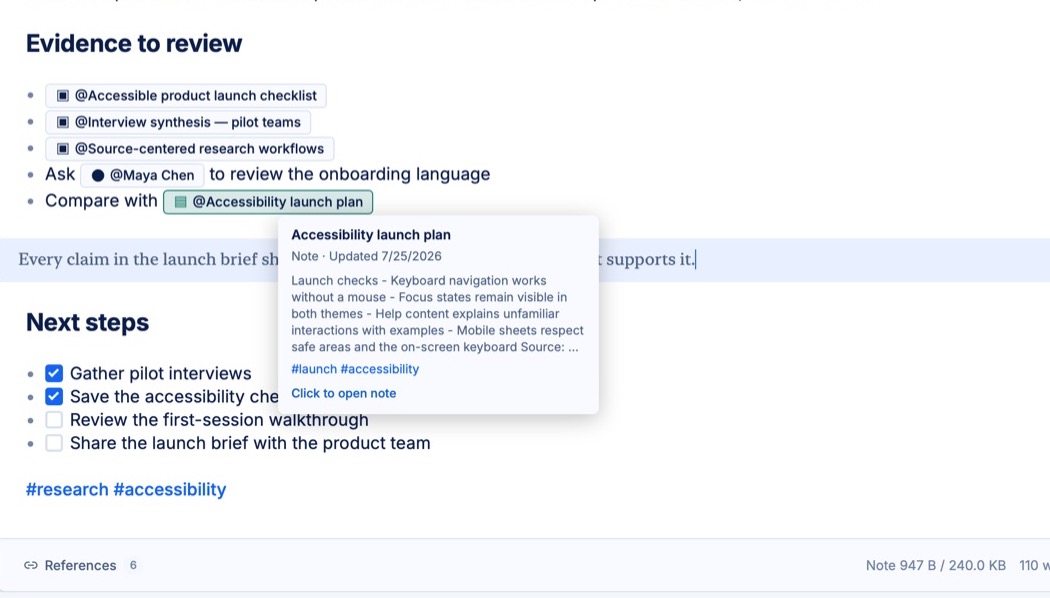
Write notes that reference your Vault instead of duplicating it. A mention keeps the source's identity intact, so the note stays light and the original stays findable.
The Vault
An encrypted home for source material
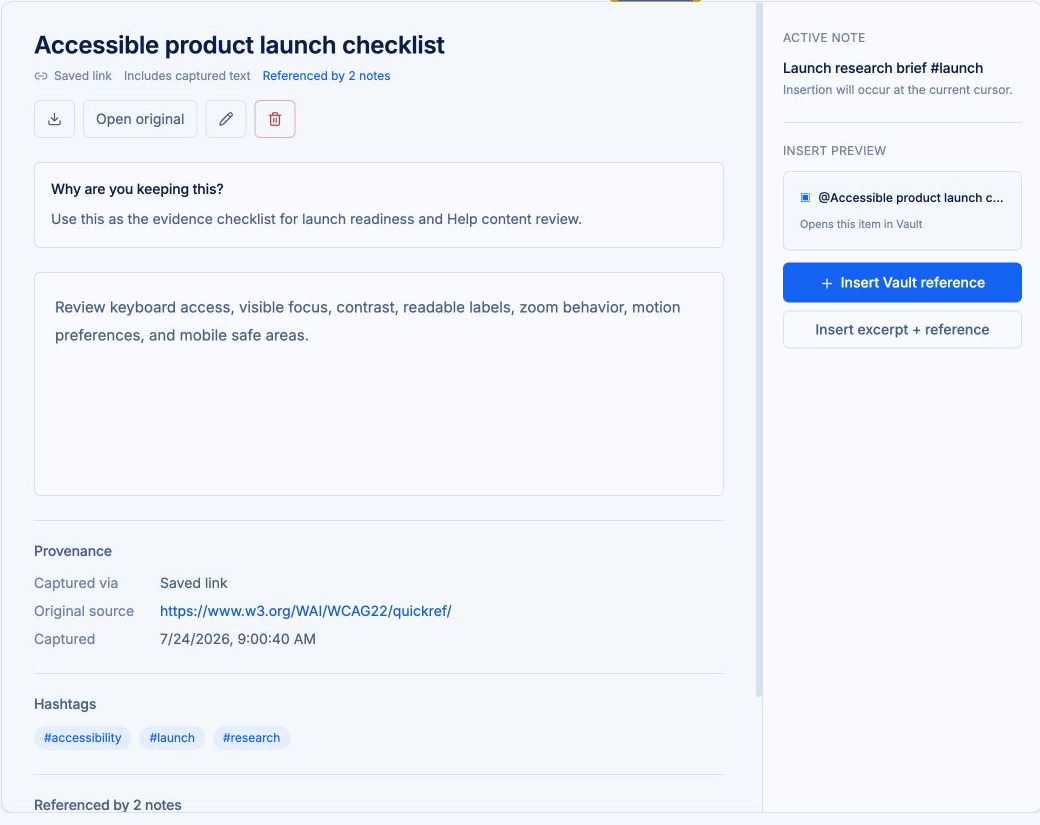
Documents, images, saved tool results, and contacts all live in the Vault. Vault content is encrypted in your browser before it syncs.
Templates
Templates and snippets
Make a template from any note by starting its first line with//and a name. It moves to the Templates workspace and stays out of your notes list. Call it back with a keystroke: type\\and pick from autocomplete, or browse with New → From Template.
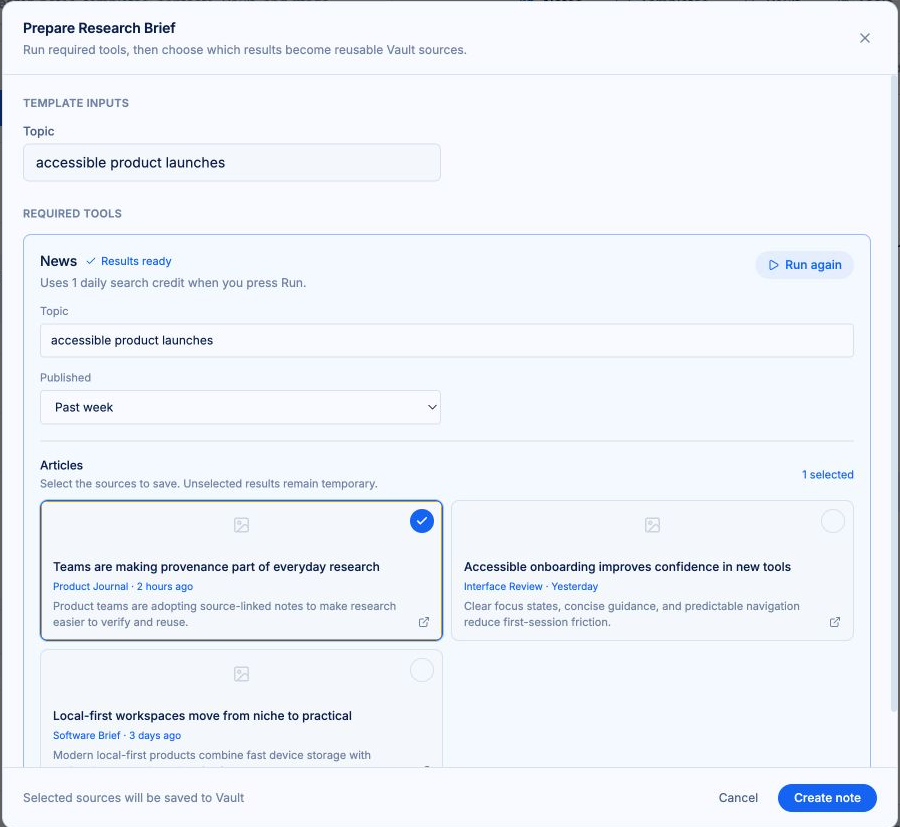
Its preflight asks for the inputs you defined, fills in dates and times, and can run tools like Search before the note exists. Tool runs show their cost and results as cards, and only the results you select become Vault sources.
Some templates are whole notes for recurring work: meeting notes, research briefs, reading logs. Others are reusable snippets you drop into any note and reassemble. Vault items in a template attach to the note you use it in, so sources arrive connected.
Fields that fill themselves
Date, time, long date, weekday, and more, resolved the moment you insert.{{DATE}}becomes today;{{CREATED_AT}}becomes the new note's timestamp.
Your questions, asked once
Text inputs like{{INPUT:CLIENT_NAME}}prompt you at insertion and land exactly where you placed them. A template without inputs or tool calls creates the note immediately.
Author in Source or Hybrid
Templates edit like any note and save automatically. Fields, inputs, and tool calls are authored in Source or Hybrid mode, where the Markdown stays visible.
Speed
Tab completion for tags and mentions
Linking works like code completion. Type, tab, and the tag or mention is linked: another note, a contact, or any Vault item. No menus, no searching for what you just had in mind.
The editor
Three ways to edit
Preview is the default: a clean writing surface where formatting stays out of your way. Hybrid reveals Markdown only on the line you are editing, so Markdown pros can type formatting directly. Source shows the full document for complete control.
Switch between them at any time; your note never changes when your view does.
Search
Universal search, always local
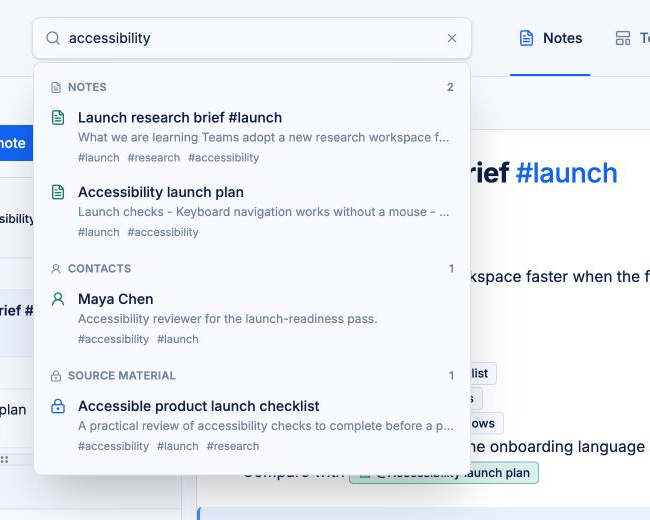
Search everything at once: notes, templates, contacts, and Vault material, with results grouped so the right thing is easy to spot. Hashtag search looks across all of them together.
Universal search stays local. It never makes an external request on its own; it only looks at what is already on your device.
Workflows
Guided workflows
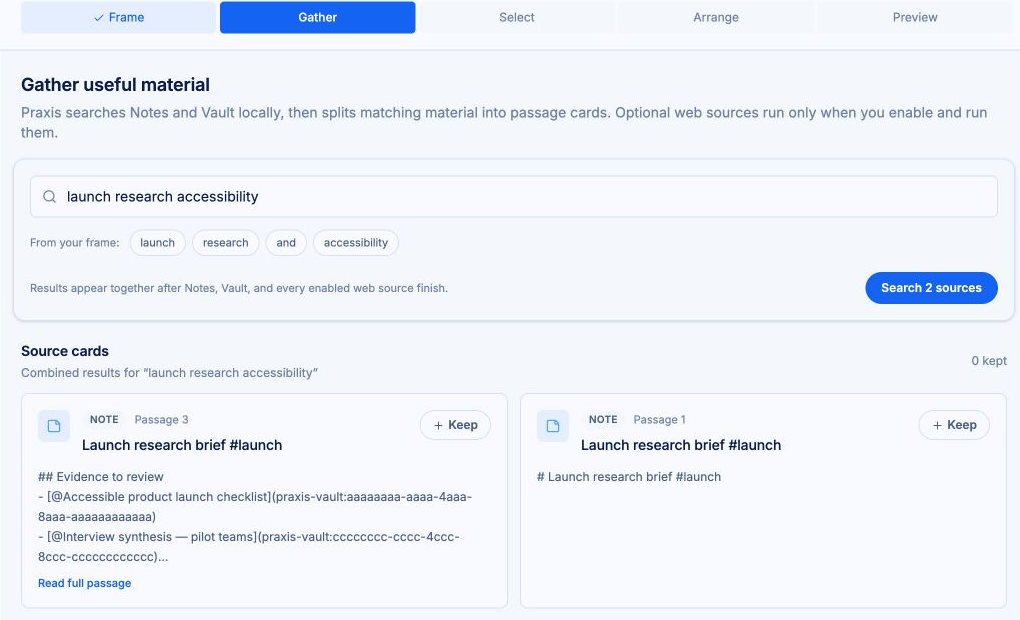
Workflows walk you through assembling related material into something finished, step by step, with sources staying attached the whole way.
Tools
Search, News, and Images
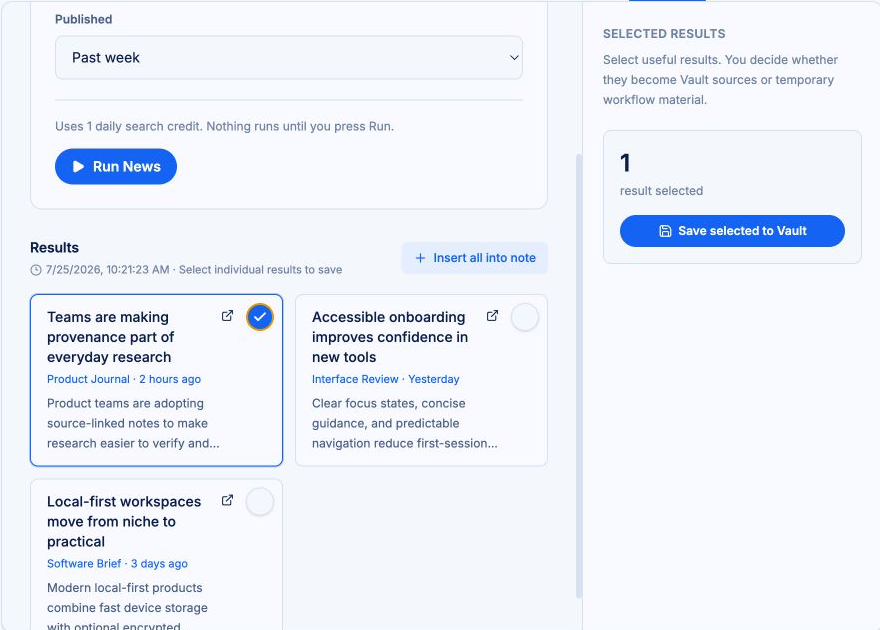
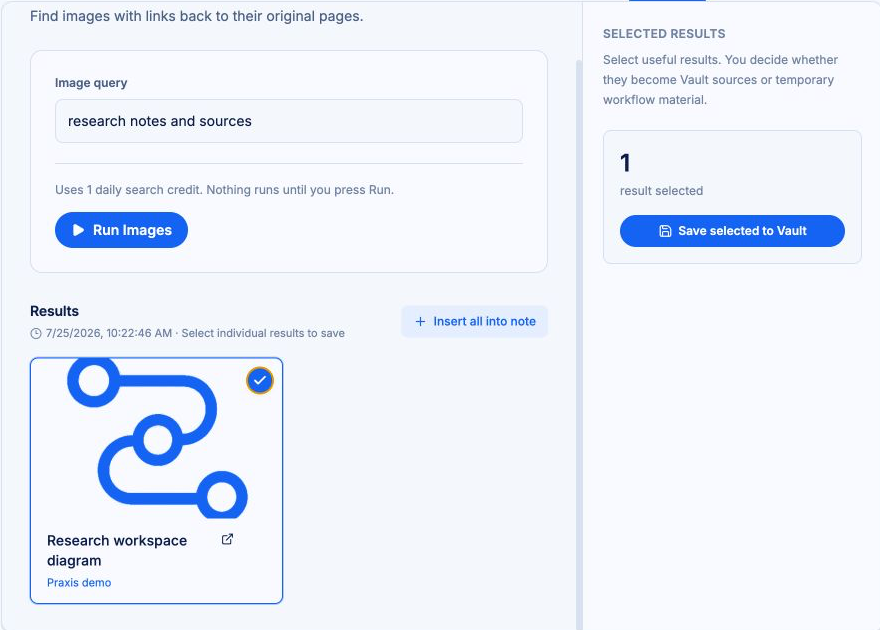
Research without leaving the workspace. Search, News, and Images tools are powered by Brave. When you save a result, it lands in the Vault with its source intact.
Queries are sent to the search provider to return results. The privacy guide explains exactly what that means.
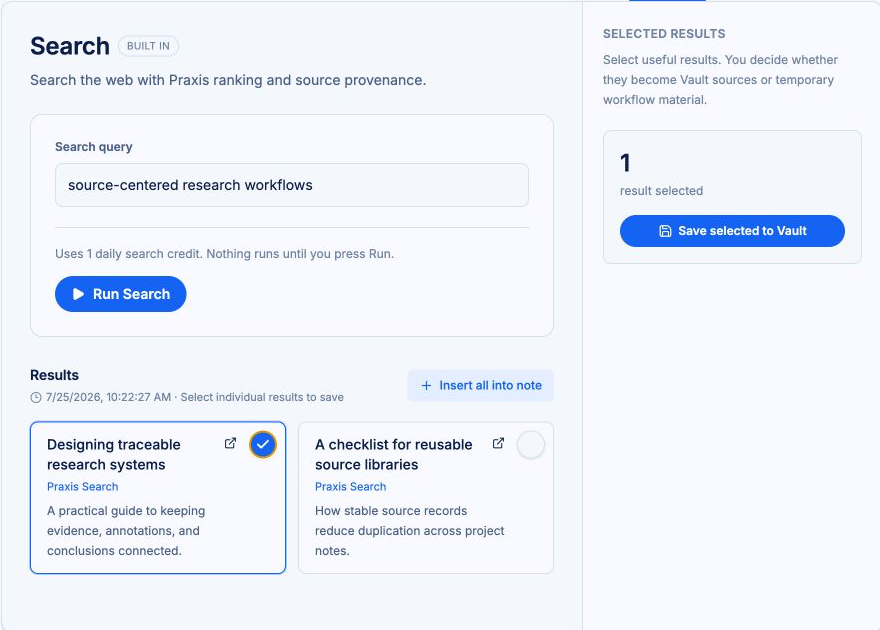
Each tool, shown in its own workspace
Search returns ranked web sources, News returns current reporting, and Images returns visual results. Each run shows its query, result type, selection state, and the action that saves chosen results to the Vault.
Sync
Free accounts, optional Cloud Sync
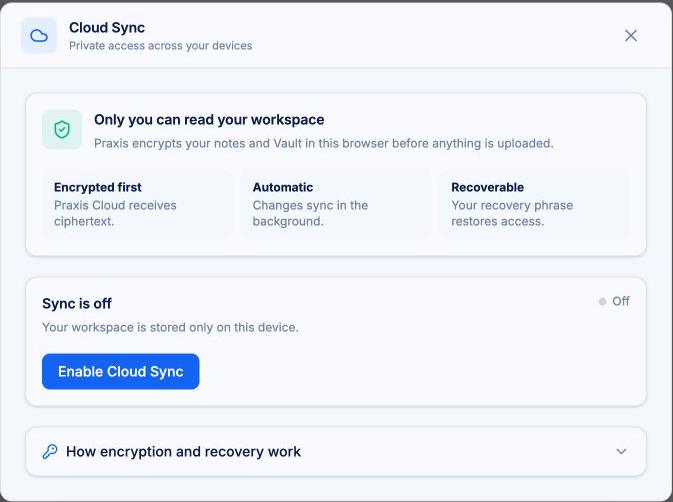
Accounts are free, and a free account keeps everything on your device. Praxis Cloud Sync ($10/month) adds Search, News, and Images tool usage plus encrypted cloud sync and backup across devices. Everything is encrypted on your device before anything syncs.
The details
The details that hold it together
Stable references
References between notes and Vault items point to the item itself, not to a fragile copy. The connection stays valid even when you reorganize your workspace.
Related notes, one step away
Every note shows what it connects to: notes that share its tags, notes that use the same Vault items, and notes that reference it directly. Step through them to see how your thinking fits together.
Excerpts that remember their source
Excerpt a passage from a Vault item and the excerpt carries its source with it. Weeks later, you can still trace any quote back to the original.
Contacts are sources, too
People are sources. Store contacts in the Vault and reference them in notes the same way you reference a document.
Organize with tags
Hashtags keep organization lightweight. Tag notes and Vault items, then search across everything that shares a tag.
Previews on hover
Hover any mention to see a preview before you open it: notes show an excerpt, tags, and recency; Vault items show their content and source details.
Export
Everything in Praxis is portable Markdown. Export a single note as Markdown with its attachments, or your entire notes and Vault as one zip file. Your work stays yours, in a format you can use anywhere.
Desktop and mobile web
The same workspace, on desktop and mobile web. No separate apps to manage.
Bring your sources. Keep your train of thought.
Praxis runs on desktop and mobile web.
Free to start. Your workspace stays on your device until you turn on sync.
Not by demanding more of your attention.
Not by taking ownership of your work.
Not by thinking for you.
By giving your thinking room to work.
THINK IN PRAXIS.