

Workflows
Workflows turn related material into finished work.
You already did the reading. You saved the sources, wrote the notes, excerpted the passages. A workflow walks you through five stages: Frame, Gather, Select, Arrange, and Preview. It produces a finished note that keeps its links back to every source.
Three guided workflows
Pick the shape of the work.
Explore a Question
Research a new topic.
Gathers material from the web with the Search, News, and Images tools, plus your local Notes and Vault, then synthesizes it into a note. Each external tool run costs one daily search credit.
Recap What I Know
Pull together what you already have.
Reviews and synthesizes your existing notes and Vault material. Local only: no external search, no credit cost.
Compare and Decide
Choose between options.
Evaluates options against your own weighted criteria, with scoring and a comparison summary you can defend later.
Start any workflow from the New button in the Notes workspace. The run takes its label from your question or topic.
The five stages
Guided, not automated away.
Workflows walk you through the steps. They help with the searching, the comparing, and the organizing. The judgment stays with you.
1
Frame
Define what you are working on: a question to explore, a topic to recap, or the options and criteria for a decision.
2
Gather
Praxis collects candidate material as passage cards. Explore a Question can run web tools; Recap and Compare stay local to your Notes and Vault.
3
Select
Remove what you do not need and annotate what you keep. Compare and Decide rates each option against your criteria with weighted scores.
4
Arrange
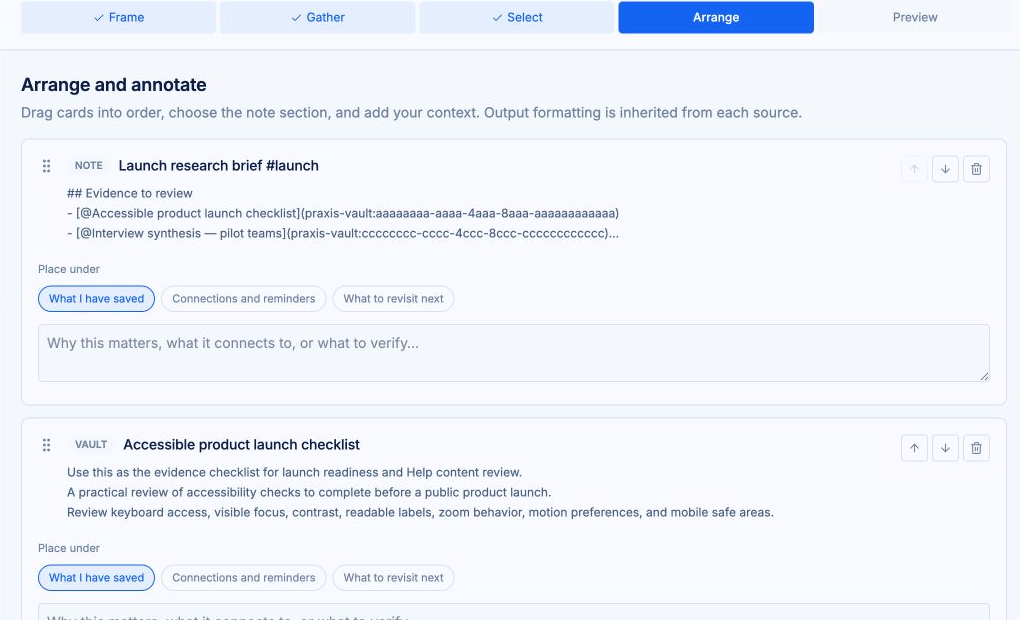
Drag passages into order and add your own commentary between them. Compare and Decide reviews the scoring summary here.
5
Preview
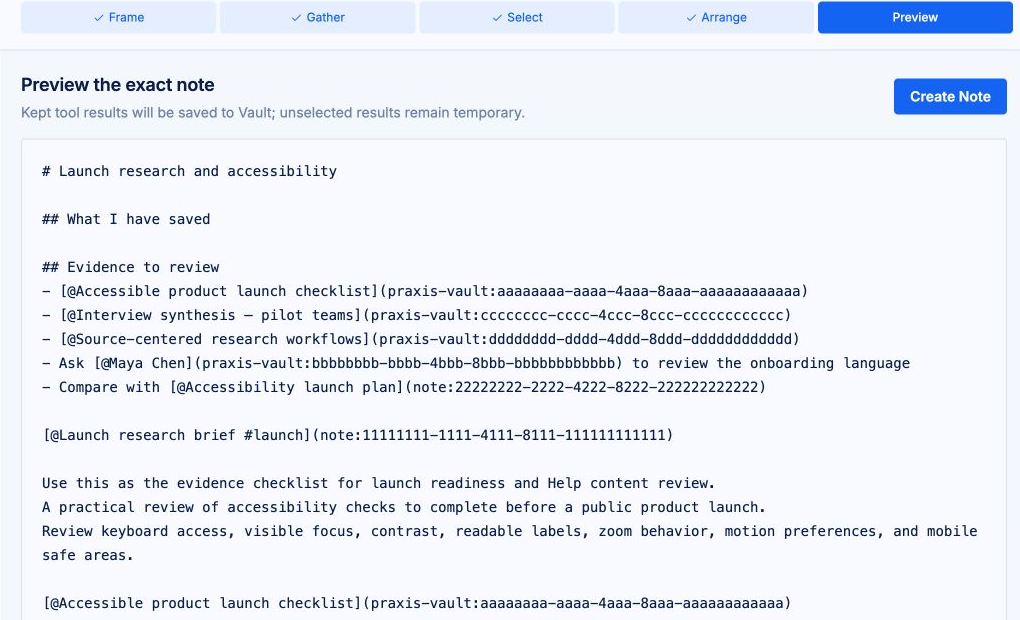
Read the full Markdown document, then create the note. Every passage keeps its link back to its source.
Gather, in practice
Passage cards, not a pile of links
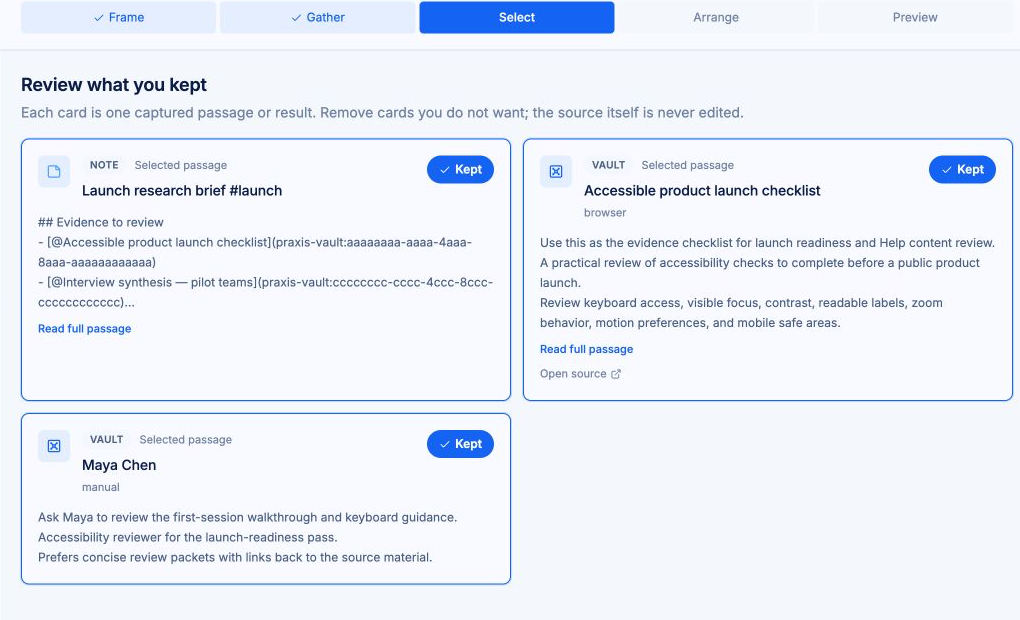
Gather waits for every enabled source, then presents consistent cards from Notes, Vault, and any web tools you ran. Select the useful ones; save individual results to the Vault mid-workflow when something is worth keeping.
What changes at each handoff
Gather finds candidate passages. Select narrows them. Arrange sets their order and adds your context. Preview shows the exact Markdown note before creation.
Pause and resume
Active workflows wait under In Progress at the top of your notes list. Open one to pick up exactly where you left off, or discard a run at any stage.
A regular note at the end
Creating the output produces an ordinary note: edit it, tag it, export it, or delete it like any other. The run clears from the In Progress list.
Sources stay attached
Tool results keep their source URL, provider, query, and capture time. Local material keeps a direct link to its record. The finished note shows where every passage came from.
Templates
Templates, when you want structure
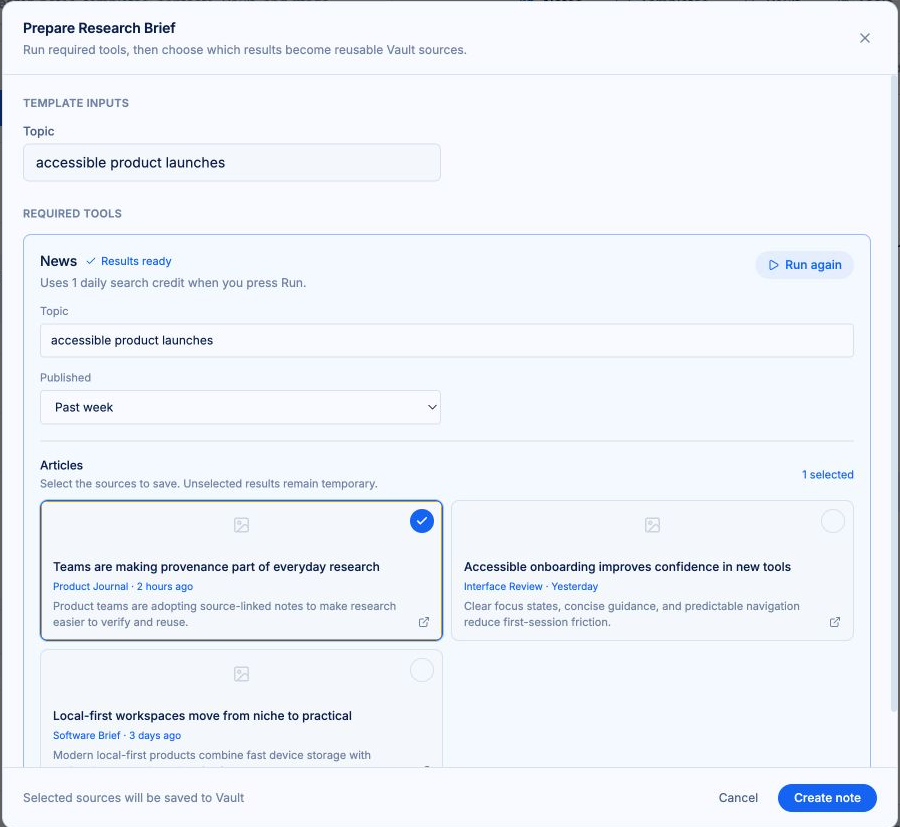
Workflows pair with templates. Call up a meeting note or research brief with a keystroke, let its preflight gather the inputs, then keep assembling.
Bring your sources. Keep your train of thought.
Praxis runs on desktop and mobile web.
Free to start. Your workspace stays on your device until you turn on sync.
Not by demanding more of your attention.
Not by taking ownership of your work.
Not by thinking for you.
By giving your thinking room to work.
THINK IN PRAXIS.