
Private · Local-first · Encrypted
Think without managing a knowledge system.
Praxis is a private thinking workspace where research lives and thoughts take shape. Every source has a stable home, and you can always find your way back to it.
Free to use locallyPraxis Cloud Sync: $10/month for tools, sync, and backup
- Local workspace with a free account
- Free
- Praxis Cloud Sync: tools, sync, backup
- $10 / mo
- Encrypted storage
- 50 GB
- Search Tool Allowance · 1,500 monthly cap
- 50 / day
Good tools disappear into the work.
They don't ask you to rebuild your habits around them. They don't bury useful ideas under layers of configuration. They don't take ownership of your information, and they don't exploit your attention.
The loop
How Praxis works
Five steps, in the order you'll actually do them.
Save it.
Keep articles, documents, images, and other source material in your encrypted Vault: one place for everything you might need later.
Find it.
Search, tags, and references bring the right material back when you need it.
Mention it.
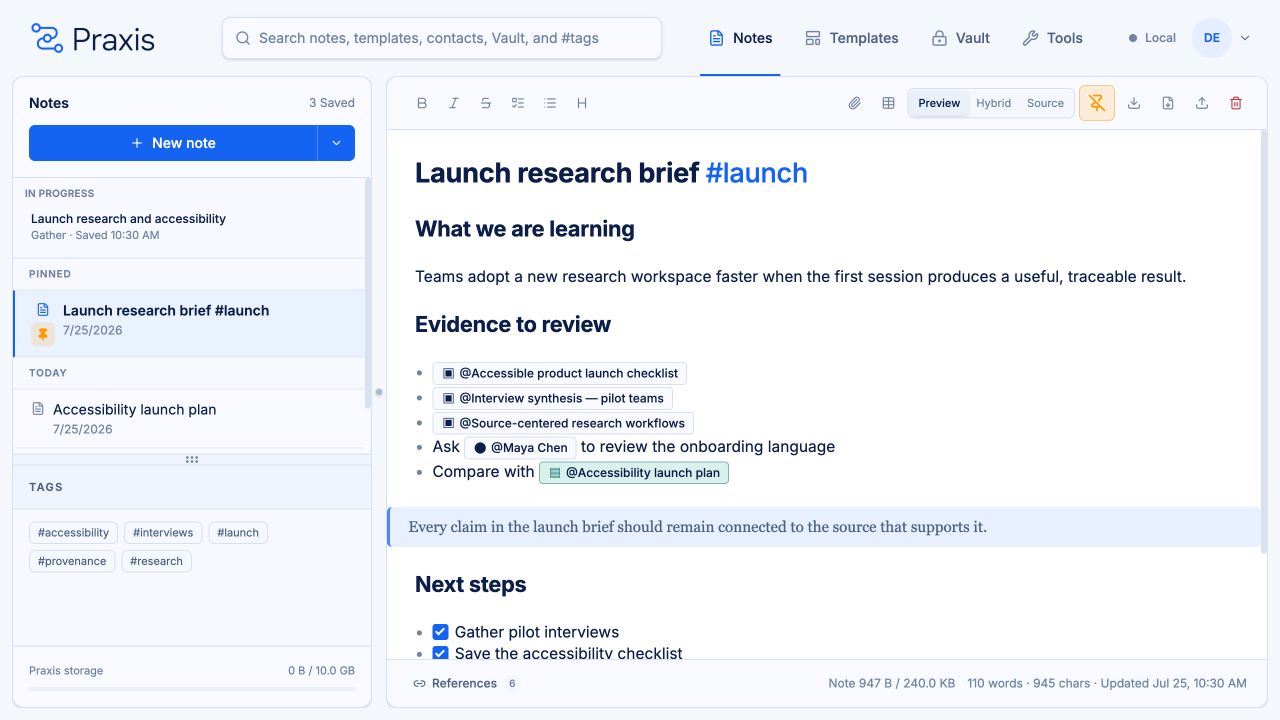
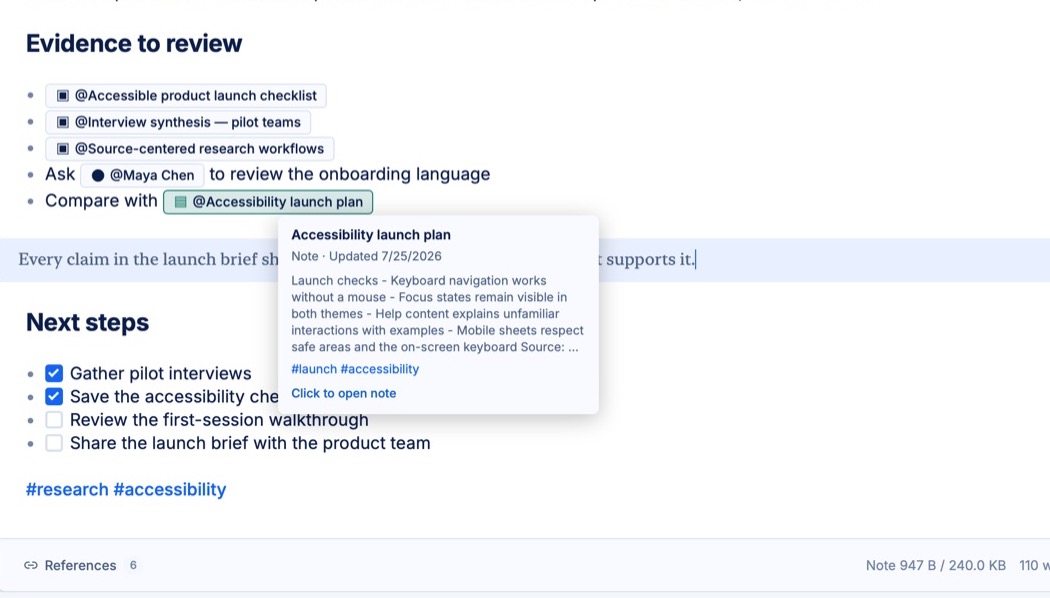
Reference a Vault item inside a note without copying it or losing its identity. The mention stays linked to the original.
Assemble it.
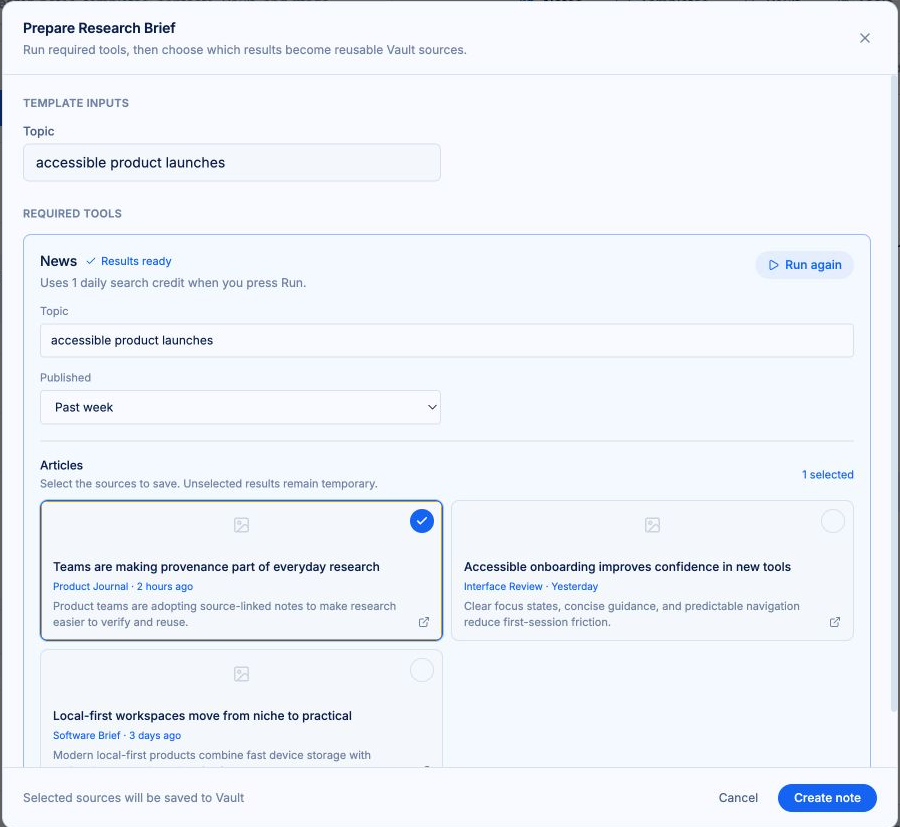
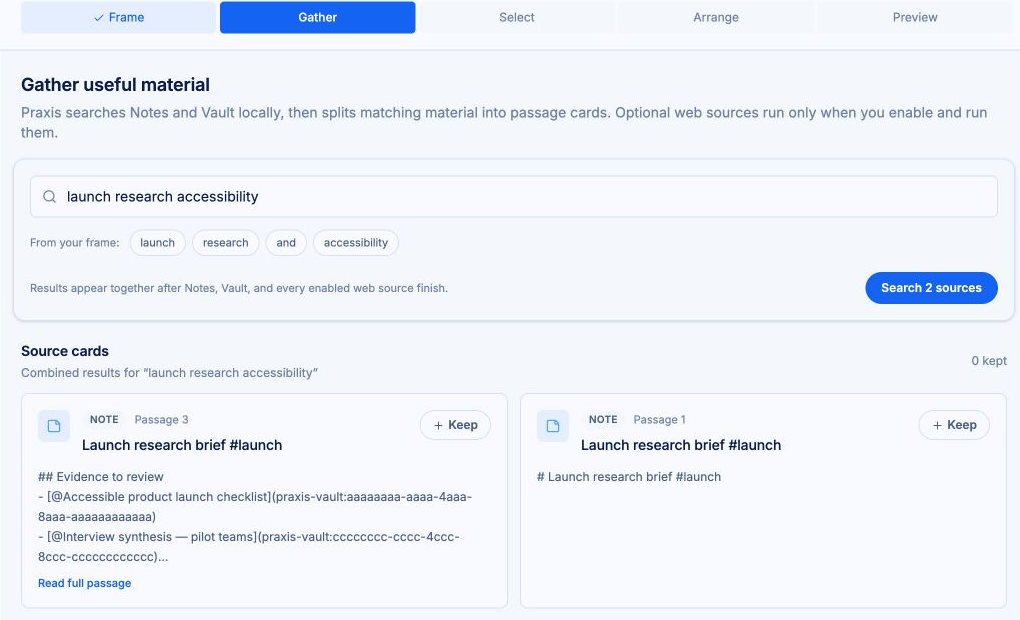
Templates and guided workflows pull related material together into briefs, summaries, and projects, with sources attached.
Trace it back.
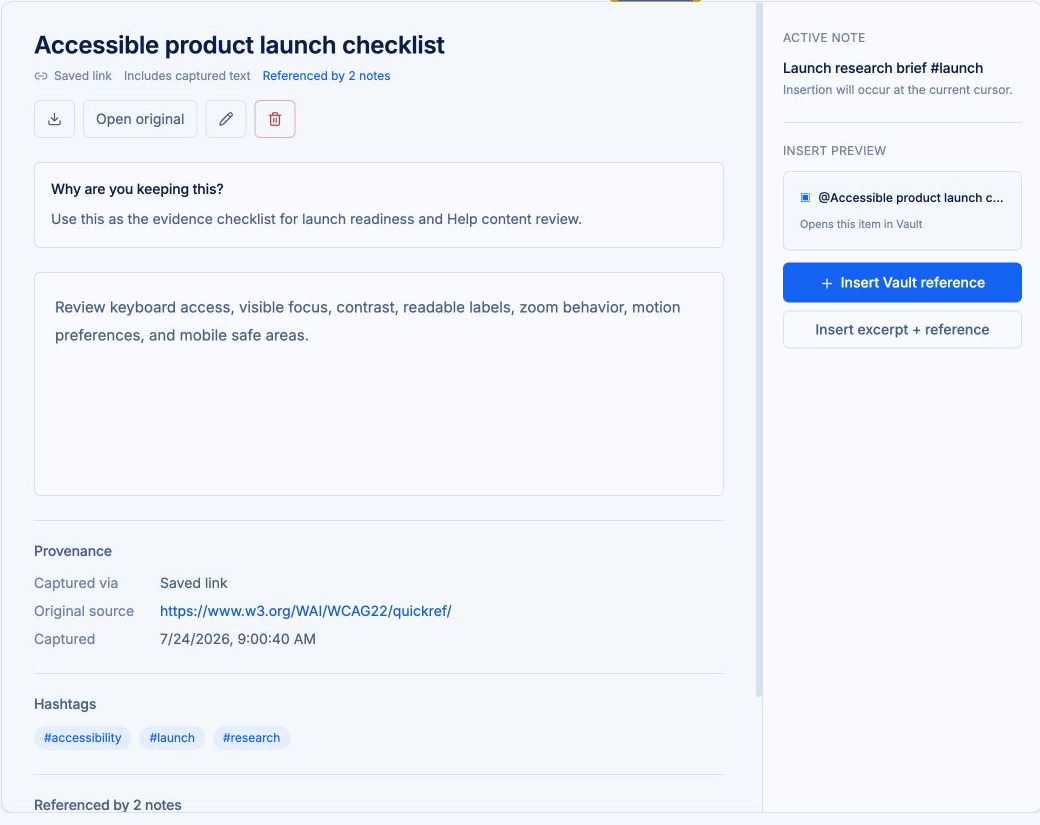
Every excerpt remembers where it came from. Follow any note back to its source in one step.
Answers, on demand
“Where did this come from?” Answered.
I know I saved this, but I can't remember where it came from.
I copied this claim months ago. Is it reliable?
Why did I add this to the project?
Most tools leave these questions unanswered: paste a quote here, a fact there, and a week later nobody remembers where any of it came from. Praxis keeps every note, excerpt, file, contact, and tool result connected to its source, so answers like these are always one step away.
Connections
Your notes know each other.
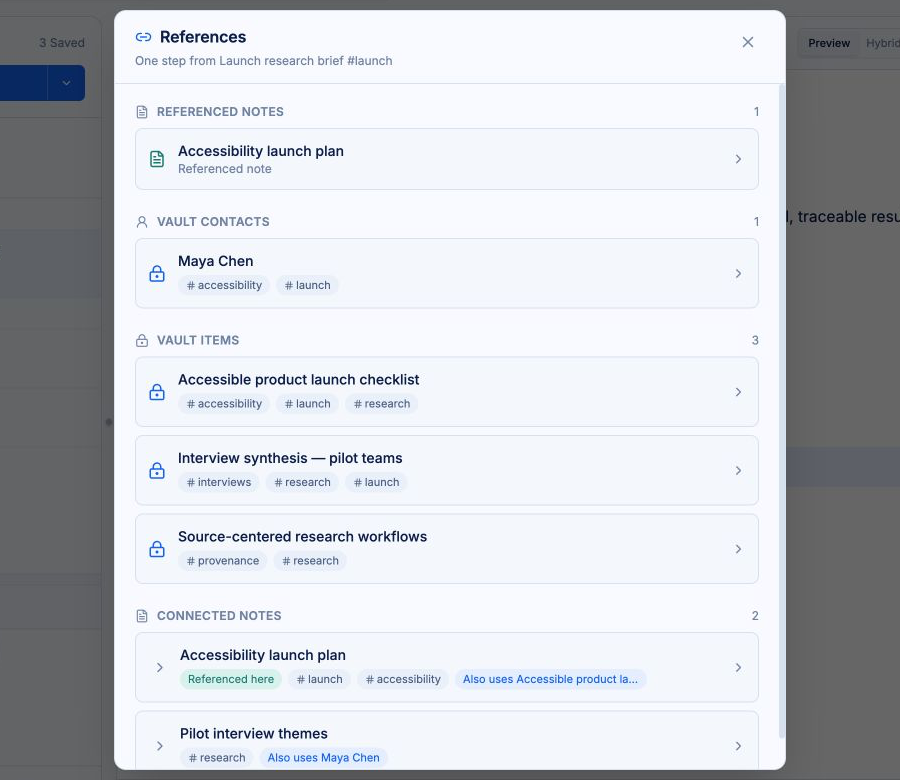
“What else have I written about this?”
Open a note and Praxis shows what it touches: notes that share its tags, notes that use the same Vault items, and notes that reference it directly. Step from one to the next and a thread of thinking comes into view.
This is what makes Praxis a knowledge workspace, not just notes with attachments. Your ideas stay linked, so you can think through your material instead of digging through it.
The Vault
An encrypted Vault for your source material
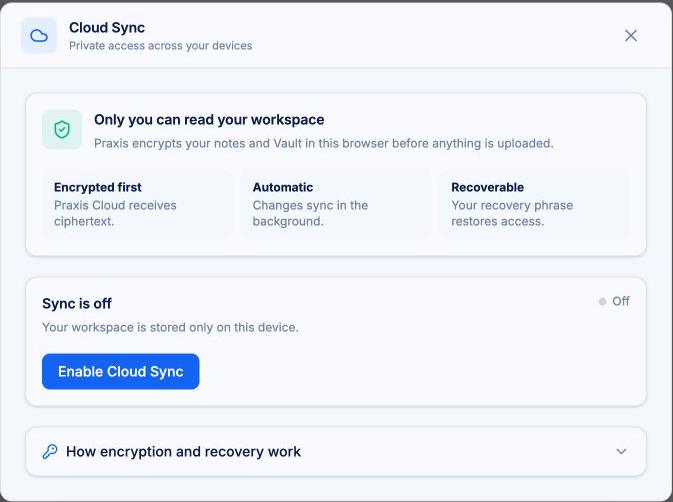
The Vault holds your documents, images, contacts, and saved results. Vault content is encrypted in your browser before it syncs, so what you store stays yours.
Templates
Structure, one keystroke away.
Templates work like text expanders for thinking. Call one up with a quick keystroke and its preflight asks for the inputs that matter, fills in dates and times, and can even run a search for you. Some templates are whole notes for recurring work. Others are reusable snippets you drop in and reassemble. Either way, Vault items in the template attach to the note, so your sources arrive with it.
Workflows
Workflows that do the assembling
Guided workflows and templates gather the notes and sources that belong together and help you turn them into finished work without breaking the chain back to the material underneath.
Speed
Capture now. Ruminate later.
Tab completion for tags and mentions works like code completion: type, tab, linked. Mentions reach across every note and Vault item, so linking takes a keystroke instead of a search. Hybrid Markdown editing lets you type formatting directly, without hunting for buttons.
Be in the meeting. Capture it all, link it all, and think it through later.
Privacy
Privacy you can explain
Your notes and Vault content are encrypted in your browser before they sync. Praxis processes the account and service data needed to run the service, and says so plainly, in ordinary language. No behavioral advertising. No cross-site tracking. No surprises.
Portability
Your work is portable.
Everything in Praxis is portable Markdown. Export one note with its attachments, or your entire notes and Vault as a single zip file. Your work stays readable and usable, wherever it goes.
One note
Markdown with attachments.
Everything
Notes and Vault in one zip file.
No lock-in
Portable Markdown, readable anywhere.
Bring your sources. Keep your train of thought.
Praxis runs on desktop and mobile web.
Free to start. Your workspace stays on your device until you turn on sync.
Not by demanding more of your attention.
Not by taking ownership of your work.
Not by thinking for you.
By giving your thinking room to work.
THINK IN PRAXIS.